
Teacher’s Toolbox

Teachers looking for a platform to teach music online are usually after two different things at once. One is a room that doesn't swallow the sound of the instrument. The other is somewhere that sends the next student. Those are different products, and most roundups lump them together.
A marketplace like Preply, Classgap or Superprof fills your calendar and charges for it, either as a cut of every lesson or as a fee the student pays to contact you. The MOOZ teacher directory comes with the classroom subscription and lets students find you and write to you directly. A classroom like MOOZ, Zoom or Google Meet is where the lesson takes place. Where you find a student decides where you can teach them. Book through Preply or Classgap and the lesson stays in their classroom, by their rules. When the student pays you directly, whether they came from referrals, the MOOZ directory or Superprof, you teach wherever the sound gets through.
🎻🔊 Already have students? Run the lesson in a room built for sound: full-range audio, up to five cameras and Sync Mode on one click. Get MOOZ for Mac, Windows, Linux, iOS or Android → Your students join free, always.
Quick pick
If you already know what's holding you back, this is the short version. The rest of the article explains why.
| Your situation | Use | Skip |
|---|---|---|
| You already have students, and the sound is what you sell | MOOZ for every lesson | A speech app as the lesson room |
| Your calendar is empty and you'll pay to fill it | Preply or Classgap, and teach those students in their classroom: Classgap's terms require it | Plans to move marketplace lessons somewhere else |
| You want the whole fee and a music room from day one | The MOOZ teacher directory, which comes with the subscription, or Superprof. Teach in MOOZ | A 32% commission for a room you don't need |
| A parent meeting or a theory talk | The same MOOZ link. The family installed the app for the trial | A second app the family has to open |
What a music lesson needs from a platform
Meeting software is built for one person to talk while everyone else stays quiet. A music lesson is the opposite: two people making sound, often at once, and the student needs to see a hand.
- Full-range audio. Speech codecs cut the highs and lows. Noise suppression hears a held note as background and chops off its tail. If the student can't hear their tone, they can't work on it.
- A way to deal with latency. A normal call adds enough delay that a live duet falls apart. No consumer app beats physics. What actually helps is a shared click or backing track that you both play against. We go into this in synchronization in online music lessons.
- A second camera. One for your face while you talk, one for the hands on the fretboard, bow or keys. A laptop lid camera hides exactly what you're teaching.
- A metronome and sheet music you can mark up. Switching to a metronome on your phone and a second PDF app costs you minutes every lesson.
- A recording the student can replay. Most progress between lessons comes from the recording, not from memory.
That list is the scorecard for the comparison below. Price comes second, because a cheap room that cuts out the violin isn't actually cheap.
The six platforms, side by side
Prices and commission rates were checked in November 2026 against each platform's published pricing pages and terms. Commission bands change, so check the current table before you sign up to a marketplace.
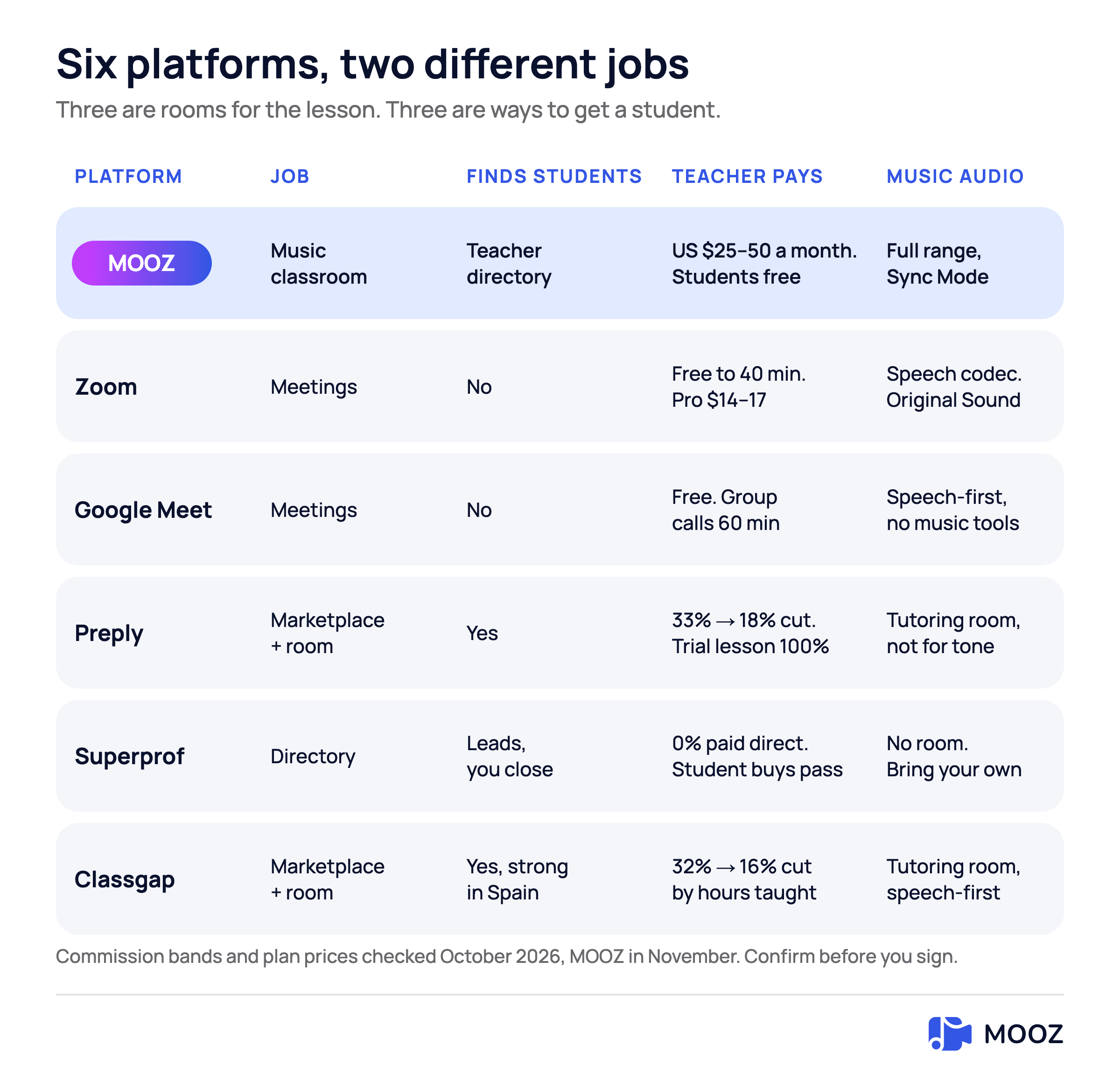
Students who pay you directly can learn in MOOZ. Preply and Classgap students stay in their own classroom
MOOZ: the music classroom
MOOZ is a video room built for music lessons rather than stand-up meetings. You get studio-grade, full-range audio and up to five cameras for both you and the student. It has a built-in metronome, virtual piano and audio player with tempo and key control. You can annotate sheet music live, connect a MIDI keyboard and record the lesson. Sync Mode puts you and the student on the same click, backing track or piano, so you're both playing against one reference instead of chasing each other across the delay. Group lessons are included in every plan.
Students never pay. Teachers in the US pay $49.99 for one month, $99.99 for three months or $299.99 for a year, and the price depends on the country. Every plan has the same features, and there's a 14-day money-back guarantee. The full toolset is on desktop (Mac, Windows, Linux). iPhone, iPad and Android work for lighter sessions.
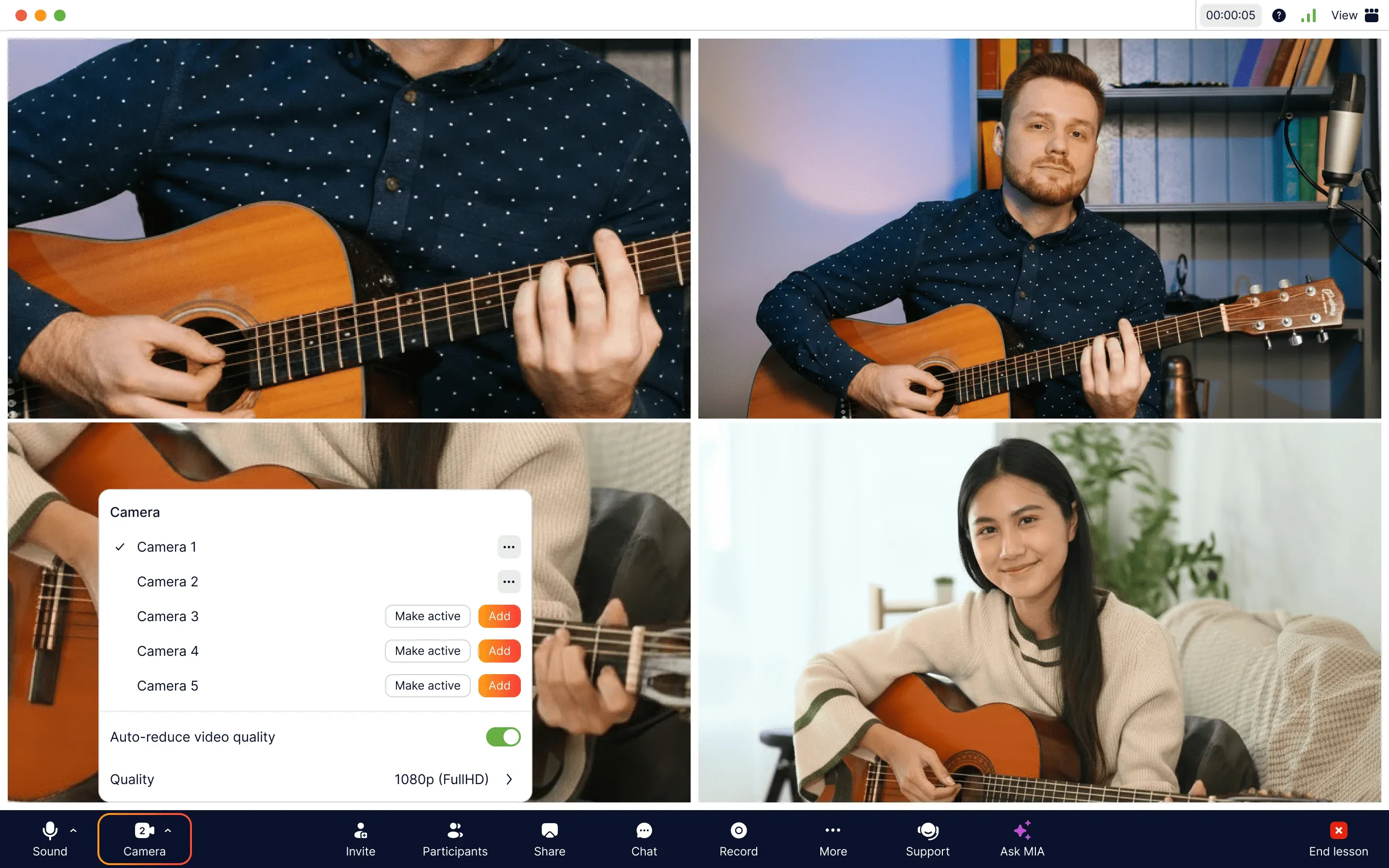
Face, hands and pedals in one call: MOOZ carries up to five camera feeds
What to look for when you choose
| What to look for | Why it matters | In MOOZ |
|---|---|---|
| A held note that survives the call | Speech apps treat a sustained note as noise and cut its tail | Studio-grade, full-range audio |
| One click for both of you | Over a normal call's delay you can't accompany each other live | Sync Mode runs the metronome, a backing track or the piano for both of you |
| Hands in frame | One laptop camera shows a face, not the fretboard, bow or keys | Up to five cameras |
| Tools inside the call | A phone metronome and a second PDF app cost minutes every lesson | Metronome, player, sheet music annotation and recording in one window |
| Nothing for the student to buy | Parents compare you with a local studio, and every extra fee counts | Students join free, with no seat fee |
| A way for students to find you | An empty calendar is the first problem for many teachers | A profile in the MOOZ teacher directory comes with the subscription |
No platform is perfect for every teacher, and that includes this one. Choose for the way you teach: your instrument, your students and where they come from. A theory tutor with a full calendar and a violin teacher starting from zero need different things.
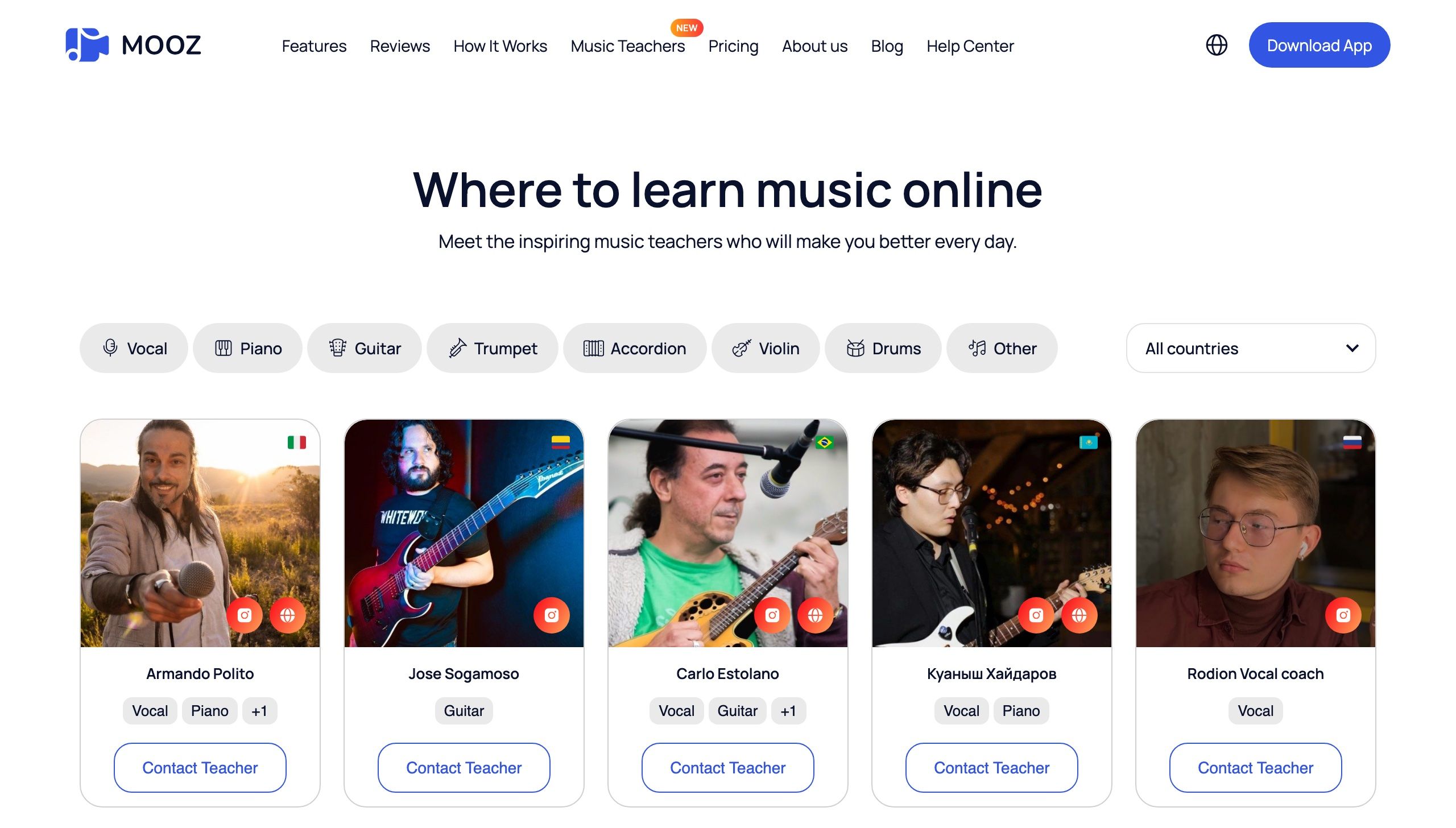
Students pick an instrument and a country, then contact the teacher directly
Zoom: the default, and the wrong default for tone
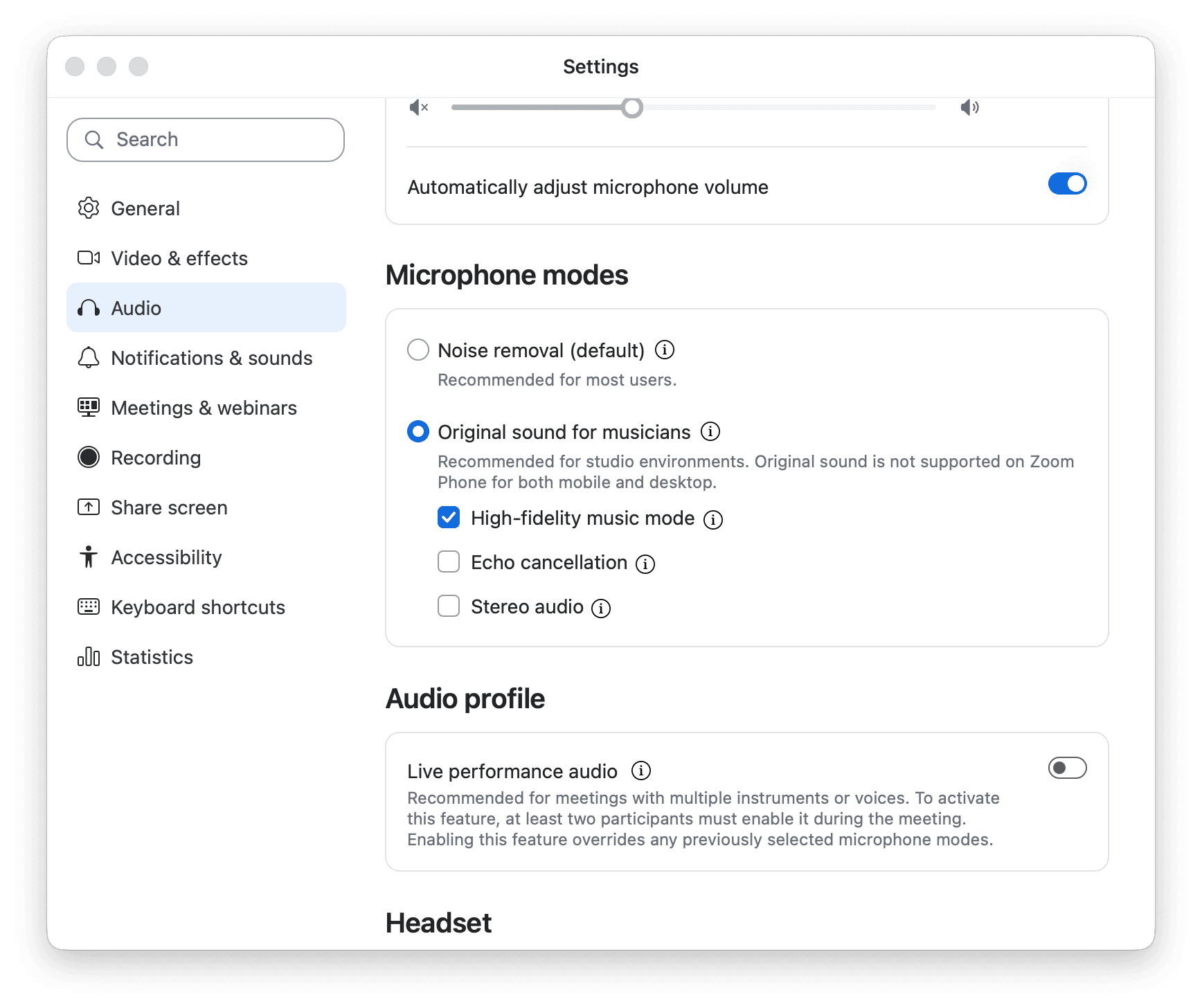
Zoom's Audio tab has a mode for musicians. It helps, but the call is still built for speech
Zoom is the app the parent already has open. That's its strength and its limit. It's a meeting product, and to keep speech clear it compresses the frequency range where a violin, a voice and a piano live. Turning on "Original sound for musicians" and switching off noise suppression gets some of that back. It still doesn't make Zoom a music room: there's no shared metronome, no synced backing track, no multi-camera instrument layout and no sheet annotation.
Free Zoom meetings end at 40 minutes. Pro costs $16.99 per user a month, or $14.16 a month billed annually, and raises the limit to 30 hours. On a free host account, a 60-minute lesson gets cut off by the timer. For the detailed comparison of audio, cameras and Sync Mode, see Zoom vs MOOZ. If you're staying on Zoom for now, set it up for music first: Zoom for Music Lessons: Best Audio Settings.
| Zoom is fine for | Zoom works against you for |
|---|---|
| A theory lecture or a call with a school administrator, with no playing | Teaching tone, bowing, breathing or voicing: the codec is built for speech |
| A student on a locked school device who can't install anything this week | A click you both hear in time: a metronome on one person's phone isn't a shared clock |
Google Meet: fine for a check-in
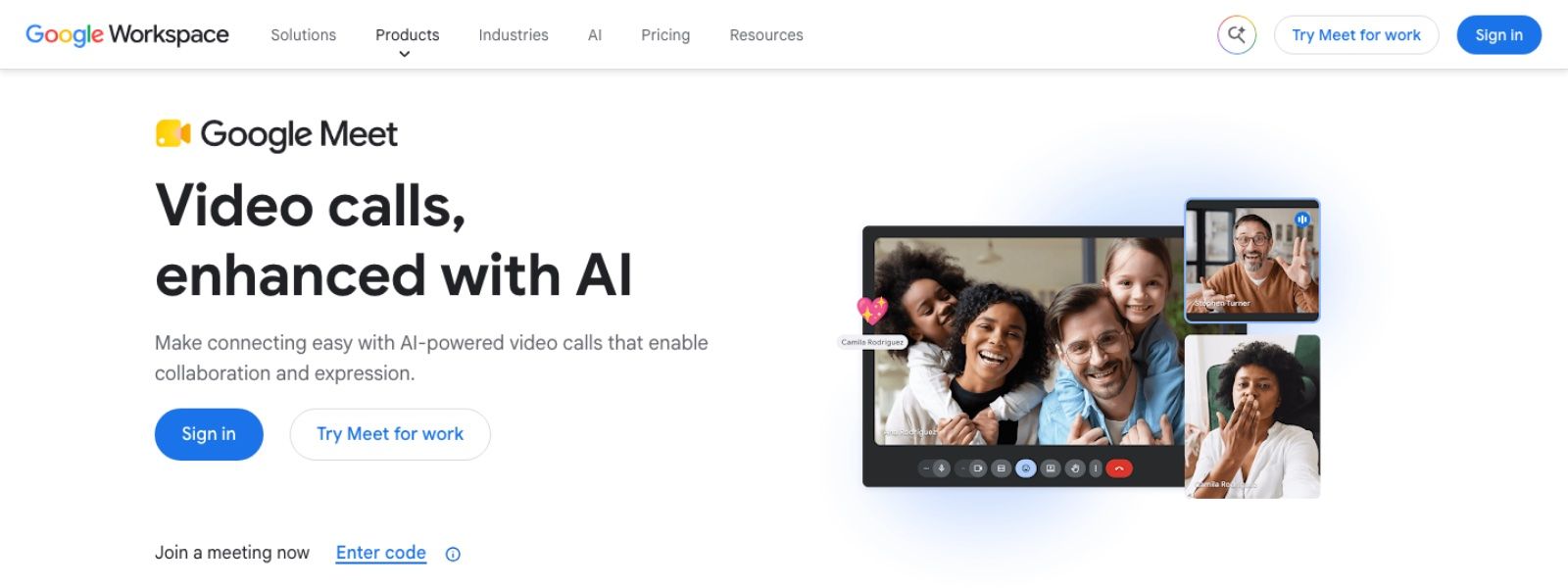
Google Meet: a browser link and nothing to install, built for talking
Meet's big advantage is how easy it is to join: a browser link, nothing to install, and it's already in the calendar many schools use. On a free personal account, group calls are capped at 60 minutes and one-to-one calls at 24 hours. The audio processing is built for speech, and there are no music tools, no second-camera workflow and no synced click. Use it for a 15-minute scheduling call. Don't use it for lessons where the student needs to hear a note decay.
Preply: students, paid for in commission
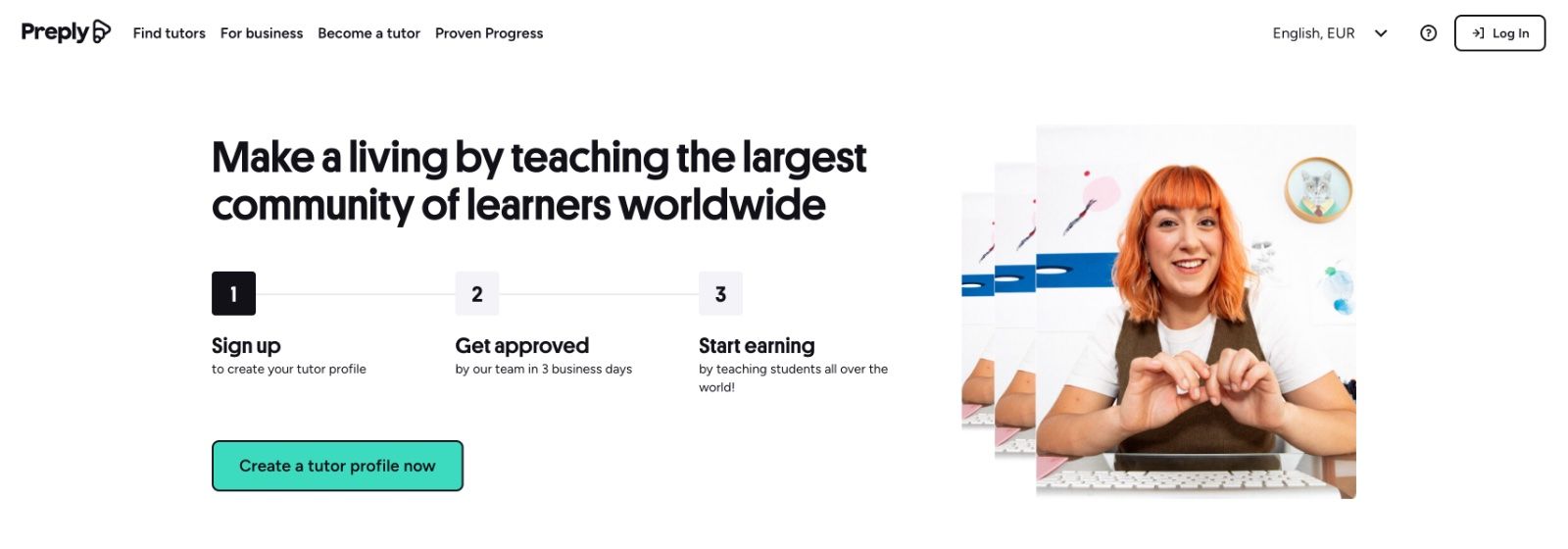
Preply brings the students and takes 18–33% of every lesson, plus the whole trial
Preply is a marketplace with its own classroom. It's where a teacher without an audience goes to borrow one. The price is a sliding commission: 33% for a new tutor, dropping to 18% after 400 hours on the platform. Preply also keeps 100% of the trial lesson with each new student. At $35 an hour on the starting tier, about a third of every lesson never reaches you, and the trial lesson earns you nothing.
The classroom covers video, a whiteboard and payments. It isn't built to carry a sustained note or show several angles of a bow arm. Preply recommends its own classroom, so plan to teach Preply students there and read the terms before you take a lesson anywhere else.
| Preply makes sense if | Look elsewhere if |
|---|---|
| You have no student list, you teach something people search for, and 18–33% costs less than ads | You already have students: you'd pay commission on income you earned elsewhere |
| You want payouts, reviews and the trial-lesson funnel handled for you | The instrument is the lesson and you need a music room from the first booking |
Superprof: a directory, not a classroom
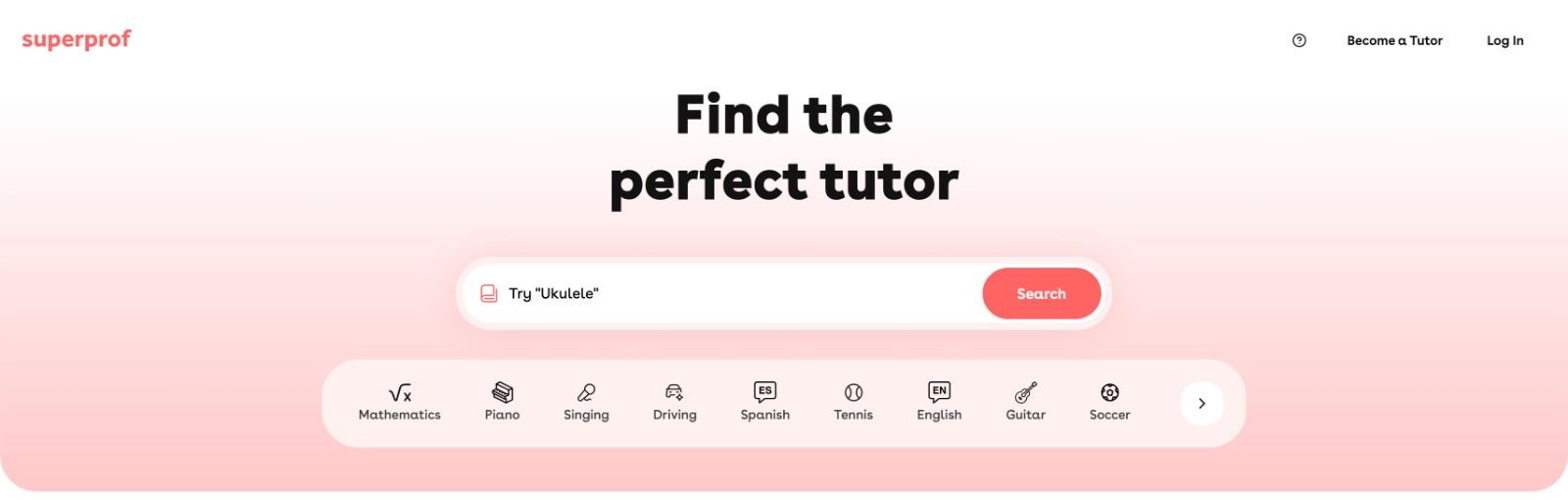
Superprof: students search, buy a pass and write to you. The lesson itself needs a room
Superprof is a listing site, not a video app. Tutors set their own rates, and when the student pays you directly, Superprof takes nothing from the lesson. When payment goes through Superprof, there's a 10% fee. Students pay for a Student Pass before they can contact you: $49 a month in the US and £39 in the UK. That filters out time-wasters, and it also filters out casual trial bookings.
There's no music classroom, so a Superprof student still needs a room. The simple setup is Superprof for the introduction and MOOZ for the lesson. You keep the fee, and you handle the follow-up, the no-shows and the scheduling yourself.
Classgap: the marketplace for Spain and Latin America
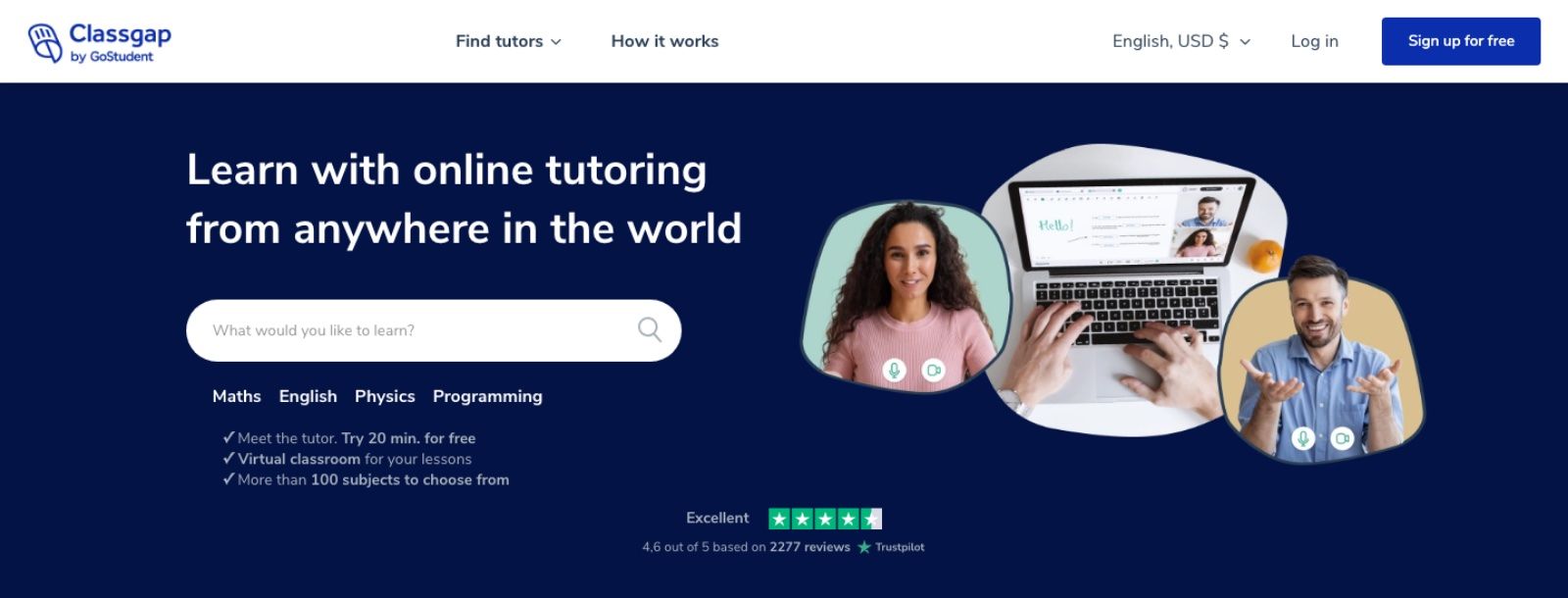
Classgap: bookings, payment and its own virtual classroom, where every Classgap lesson has to run
Classgap is a big name for online tutoring in Spanish-speaking markets, and music is one of its subjects. It has its own classroom and tutors set their own rates. Its terms list a commission ladder based on hours taught: 32% under 40 hours, 27% from 40 to 74, 23% from 75 to 299, 18% from 300 to 499 and 16% above 500, with the last two years counted for the top tier only. Its terms also describe a second schedule and a flat 10% for students who book through your own Classgap link, so check which one applies in your tutor account. Payouts are monthly, in euros, once you pass a minimum balance.
The classroom is a tutoring room with a whiteboard, documents and video. Like Preply's, it's fine for theory and weak for tone. And you can't swap it out. Classgap's terms say every class runs in its own Virtual Classroom, and taking a Classgap student off the platform to avoid the commission can get your account closed. A Classgap student is a Classgap lesson, from the booking to the last class.
💸🎹 Students can find you on MOOZ too. A profile in the MOOZ teacher directory comes with your subscription: students pick an instrument and a country, find you and contact you directly. You send the link, they install MOOZ for free, and there's no commission on the lesson. Download MOOZ →
What "free" really means
Many teachers start out looking for a free platform. That almost never means students appearing at zero cost. It usually means no commission and no seat fee. Here's who pays on each platform:
| Platform | The student pays | The teacher pays |
|---|---|---|
| MOOZ | Nothing | A flat subscription with no commission on lessons, and a 14-day money-back guarantee |
| Preply | The lesson price | 18–33% commission, plus the whole trial lesson |
| Classgap | The lesson price | 16–32% commission |
| Superprof | A monthly Student Pass to contact you | Nothing, if the student pays you directly |
| Zoom | Nothing | Nothing until minute 40. A one-hour lesson needs Pro |
| Google Meet | Nothing | Nothing on a personal account. Group calls stop at 60 minutes |
On a marketplace the software looks free, and the commission is the price. A 32% cut of a full calendar isn't free.
How to choose the best platform for teaching music online
Start with one question: do you already have students? The answer decides what you pay for. Mixing up the two jobs is how teachers end up paying 30% to sit in a room that cuts out the violin.
Yes, I have students. Referrals, a studio roster, your own site. You don't need a marketplace. Pay for a music room, which means MOOZ, and run everything there: the trial lesson, the regular lessons and the call with the parent. There's no commission, and the student joins free.
No, I need to find them. Choose by who takes the payment, because that decides where you can teach.
- The MOOZ teacher directory comes with the subscription. Students find your profile and contact you, and you teach them in MOOZ with no commission.
- Superprof, if you'd rather close the lead yourself and keep the whole fee. The student pays you directly and buys a pass to contact you. The lesson runs in MOOZ.
- Preply or Classgap, if you accept their commission ladder in exchange for bookings and payments handled for you. Their students follow their rules: Classgap's terms say every class runs in its own classroom, and Preply recommends its own, so read the terms before you move a lesson.
If you teach for a school, the school picks the room. This guide is for the students you teach on your own.
What MOOZ asks of the student: install a free app once. Send the link the day before, and from lesson two there's no setup at all. Meet and Zoom in a browser win on that first click, and you pay for it in sound.
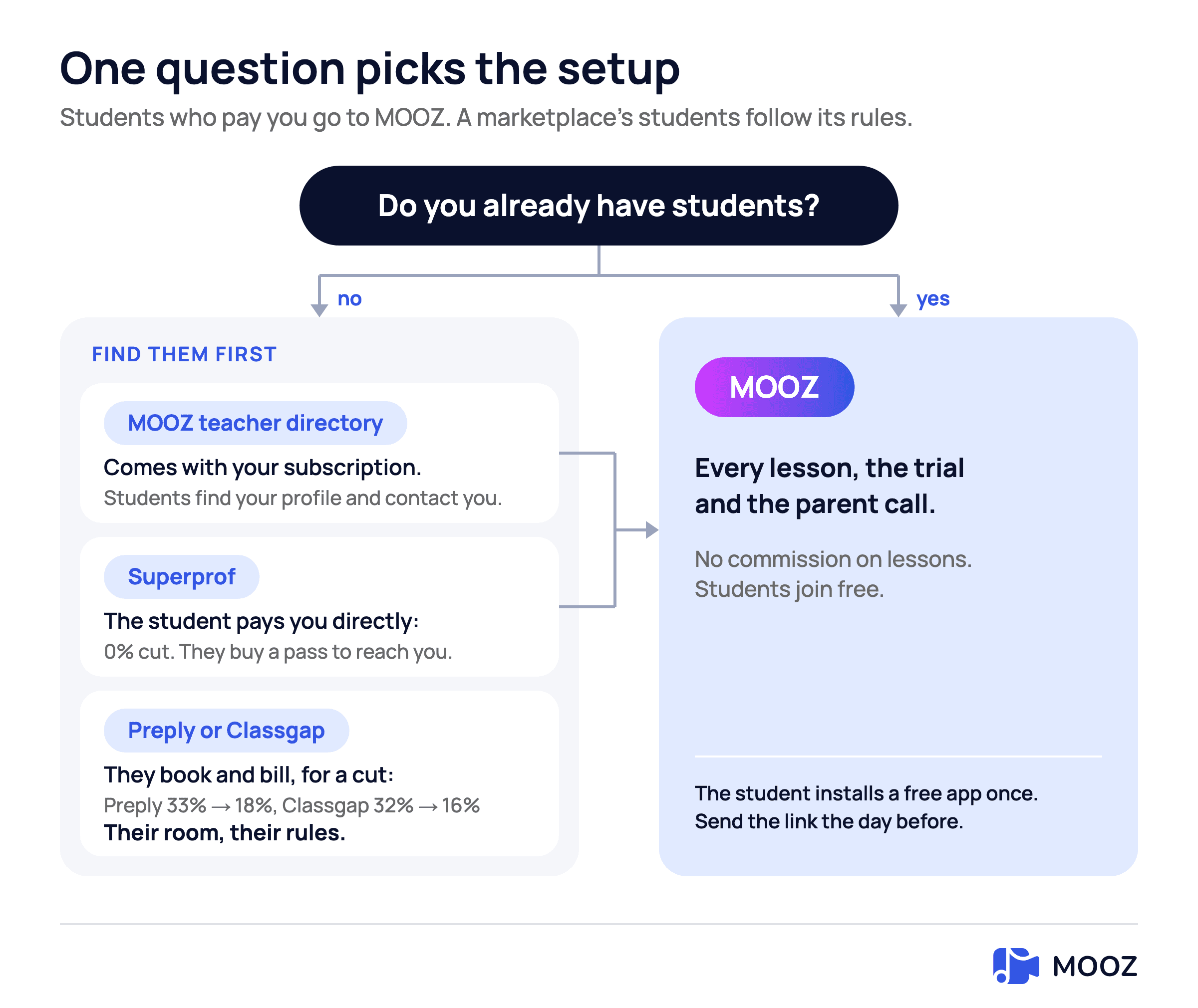
Follow your answer to see where the lesson runs and what each way of finding students costs
A stack that lasts a year
The teachers who stop switching apps use two tools, not six.
- A source of students who pay you directly. Your own site, Instagram, referrals, the MOOZ teacher directory or Superprof. Pick one or two and keep your reviews in one place.
- A music room for everything else. MOOZ for the trial lesson, the regular lessons and the call with the parent. Put the link in the confirmation email, not in the chat at the start of the lesson. Once the student has installed the app for the trial, every call after that is one click, so there's no reason to keep a second video app around.
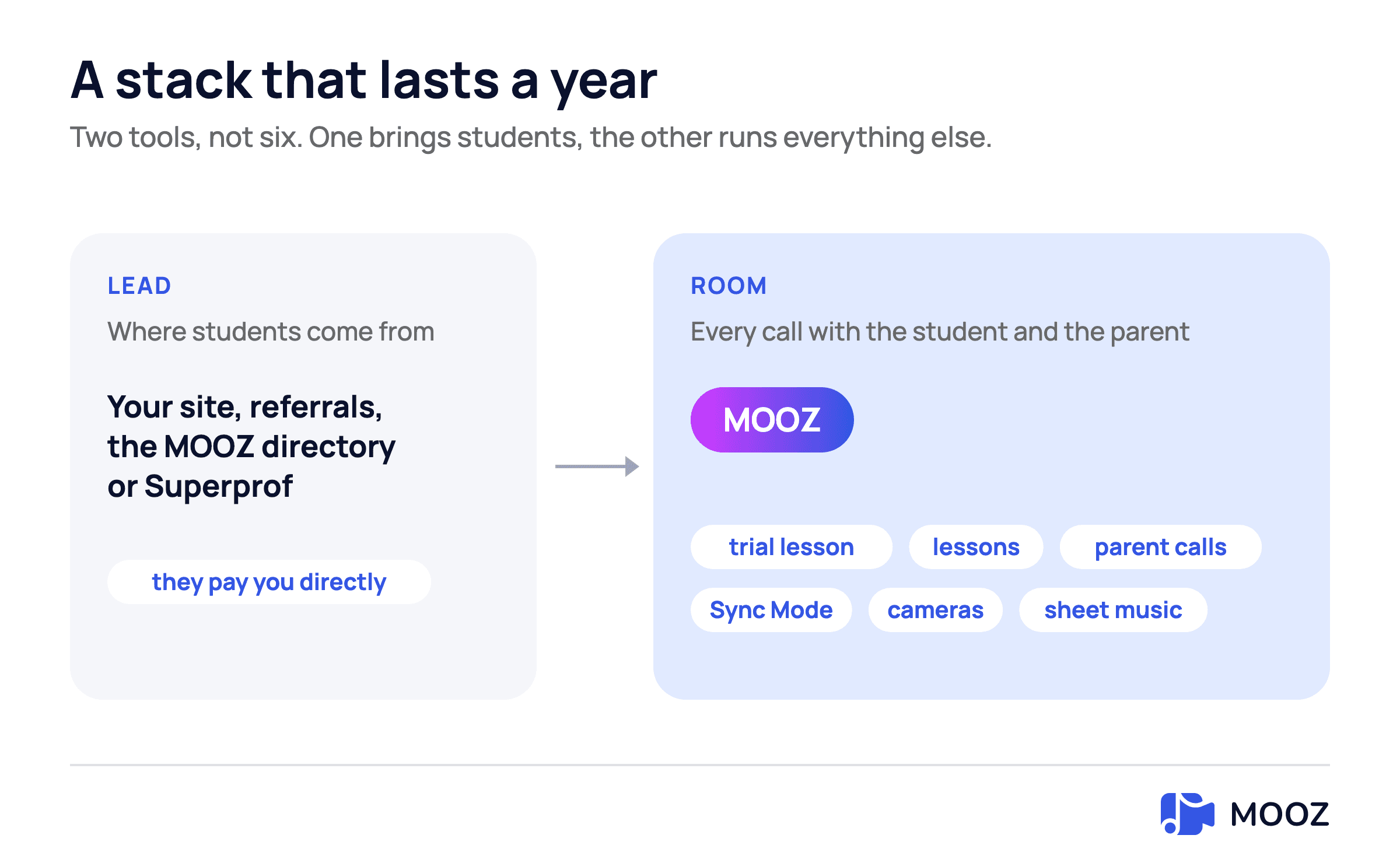
One tool brings students, MOOZ runs every call after that
Your camera and network still matter more than the logo. Use Ethernet, a microphone that isn't built into the laptop, and a second camera on the hands. The full setup, including the room, audio, camera angles for each instrument and a 30-minute lesson plan, is in How to Teach Music Online.
FAQ
What is the best online music teaching platform in 2026?
For the lesson itself, MOOZ. It's the only platform on this list built for sound quality, a shared click and more than one camera. Preply and Classgap bring the most bookings, but you pay 16–33% for that and the lessons stay in their classroom. The best setup is a few places where students find you and pay you directly, such as your own site, the MOOZ teacher directory or Superprof, and MOOZ for teaching.
Is Zoom good enough for music lessons?
It's good enough for talking, not for teaching tone. "Original sound" helps, but it doesn't give you a metronome, a synced track or a hand camera. If Zoom is the only thing you're thinking of switching from, read the Zoom vs MOOZ comparison.
Which platform is actually free for the teacher?
None of them is free in every way. Zoom is free until minute 40. Superprof takes no commission if the student pays you directly, but the student pays for a pass to contact you. Preply and Classgap are free to join and expensive to use. MOOZ is free for students. Teachers pay a flat subscription with no commission, about $25–50 a month in the US, and there's a 14-day money-back guarantee.
Can I find students on MOOZ?
Yes. A profile in the MOOZ teacher directory comes with the subscription. Students browse teachers by instrument and country and contact you directly, and you teach them in MOOZ with no commission. It's a directory, not a booking service, so nobody books trial lessons for you. If you need students next week, list on Superprof too: the student pays you directly there as well, and the lesson runs in MOOZ. Preply and Classgap fill a calendar faster, but their students stay in their classroom.
Do I still need a marketplace if I have ten students?
No. With ten regular students, commission is just a tax on income you already have. Students who pay you directly don't need a marketplace at all, and new ones can find you through referrals, the MOOZ teacher directory or Superprof. If you keep a Preply or Classgap profile for extra bookings, those students stay in that platform's classroom.
What should I send a student before the first lesson?
The lesson link, a one-line install note, and a request to use earbuds or a headset. On your side, connect with Ethernet and set up the second camera before they join, not halfway through the scale.
Bottom line
The best platform for online music lessons depends on the job in front of you. Zoom and Meet are for scheduling and talking. Preply, Classgap, Superprof and the MOOZ teacher directory bring you new students, for a commission, a student pass or as part of your subscription. MOOZ is the room where the instrument actually comes through. Find students where they can pay you directly, and teach them in MOOZ.
Sources
Checked on 6 November 2026.
| Source | What it supports |
|---|---|
| Zoom: pricing | 40-minute limit on the free plan, Pro at $16.99 or $14.16 a month, 30-hour limit |
| Google Meet: features | 60 minutes for group calls, 24 hours for one-to-one calls |
| Preply: commission model | 33% down to 18%, 100% of the trial lesson |
| Superprof: charges and payments | 10% fee when payment goes through Superprof, $49 Student Pass in the US |
| Superprof UK: charges and payments | £39 Student Pass in the UK |
| Classgap: terms for teachers | Commission ladder, second schedule, 10% for your own link, classes in its Virtual Classroom |
Related Articles
Music Teachers and Time Management: Burnout Cancelled
Drowning in lesson plans and admin? This guide helps music teachers master their schedule.
Music Teacher Marketing Guide: From Job Search to Fully-Booked Studio
Ultimate guide with Instagram/TikTok strategies, copy-paste DM templates, and music teaching tools to find students directly.
Your Student Wants to Quit Music: What to Do
A music teacher's survival guide: learn how to deal with student dropouts.