
Teacher’s Toolbox
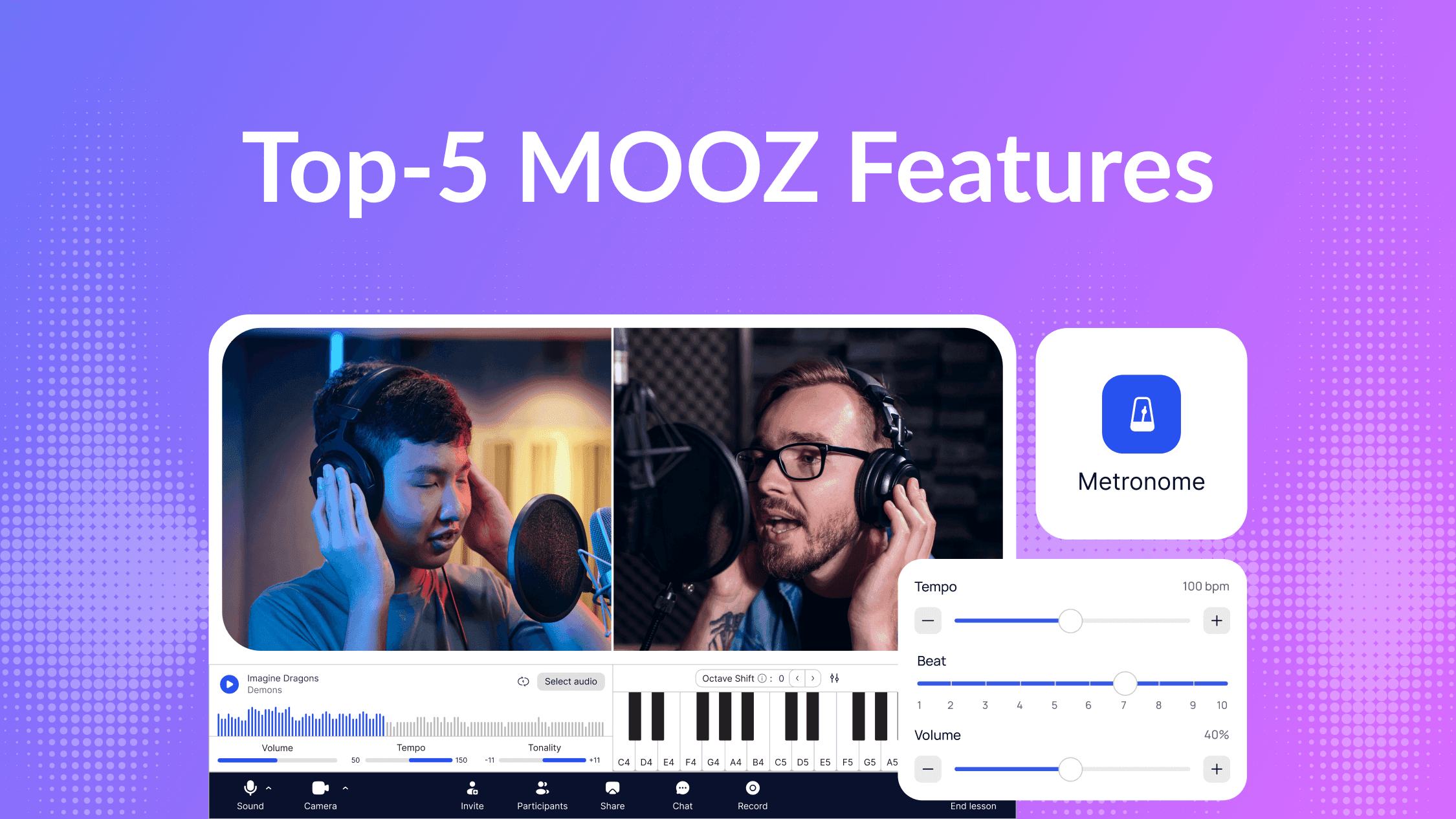
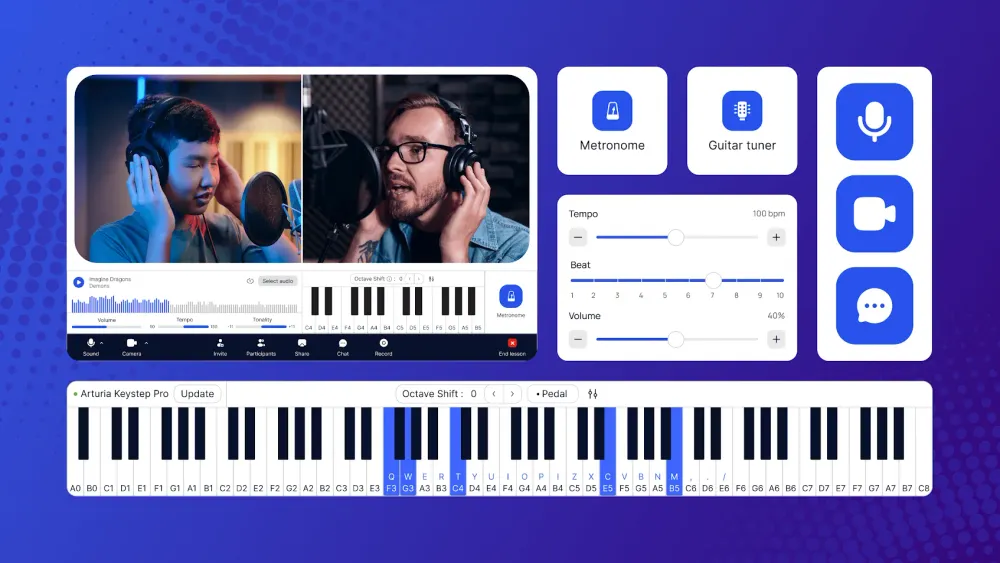
Online music lessons only work when sound, timing, and interaction feel natural. That’s exactly what MOOZ is built for.
Below are the five core MOOZ features teachers rely on every day — not as “nice extras,” but as tools that directly improve lesson quality, student progress, and teacher confidence.
1. Sync Player
Listen and play — perfectly synced to the same audio
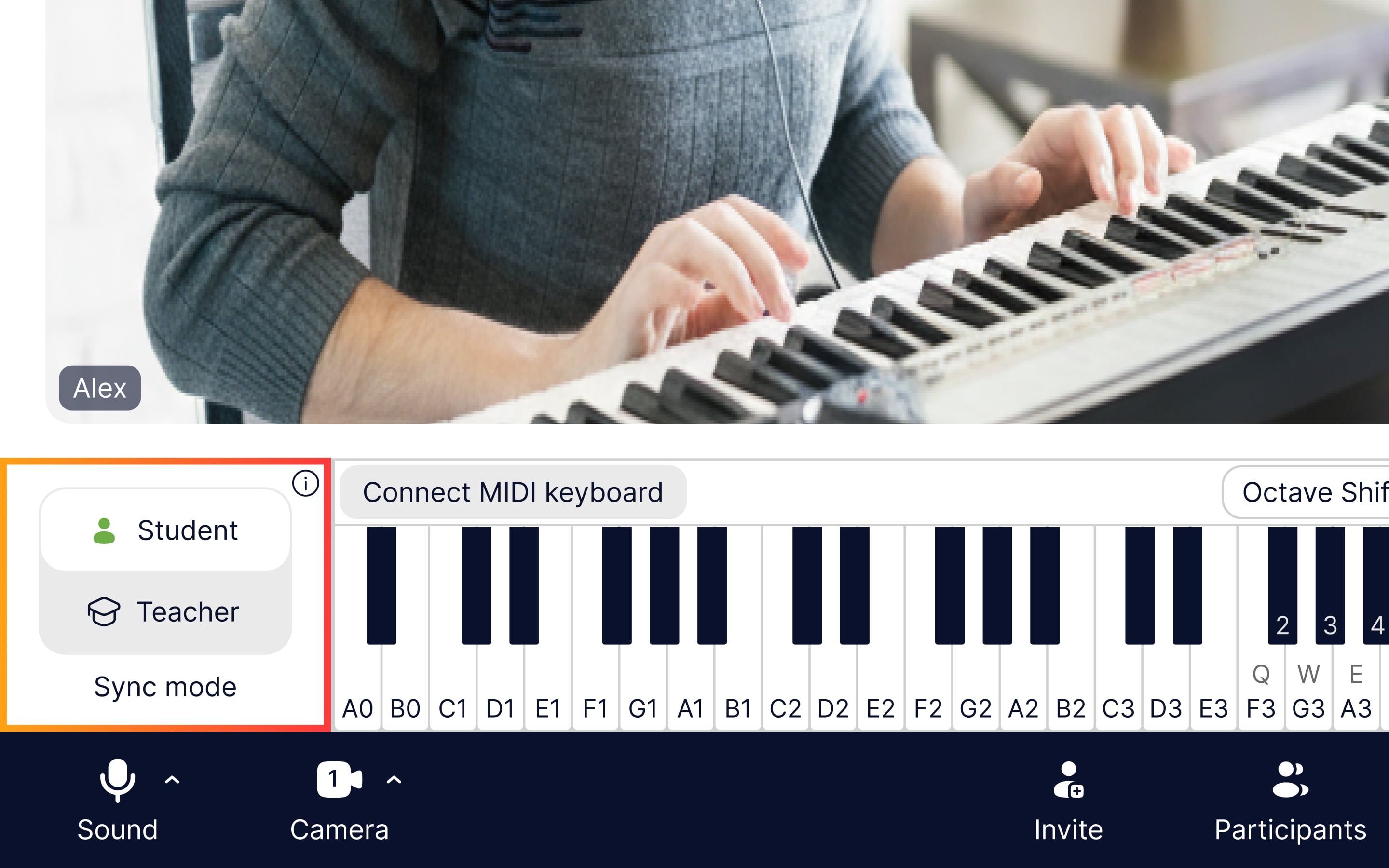
Sync audio player inside MOOZ
One of the biggest problems in online music lessons is timing. Counting in, restarting tracks, or guessing where the student is breaks focus and lesson flow.
Sync Player in MOOZ uses Sync Mode to synchronize audio playback. Teacher and student hear the same track, metronome, or piano at the exact same moment, creating a shared rhythmic reference.
Another powerful feature is the ability to change tempo or key in real time — both teacher and student hear the changes instantly, without stopping the track.
This doesn’t turn the lesson into a live ensemble — but it makes play-along work clear, predictable, and musically accurate.
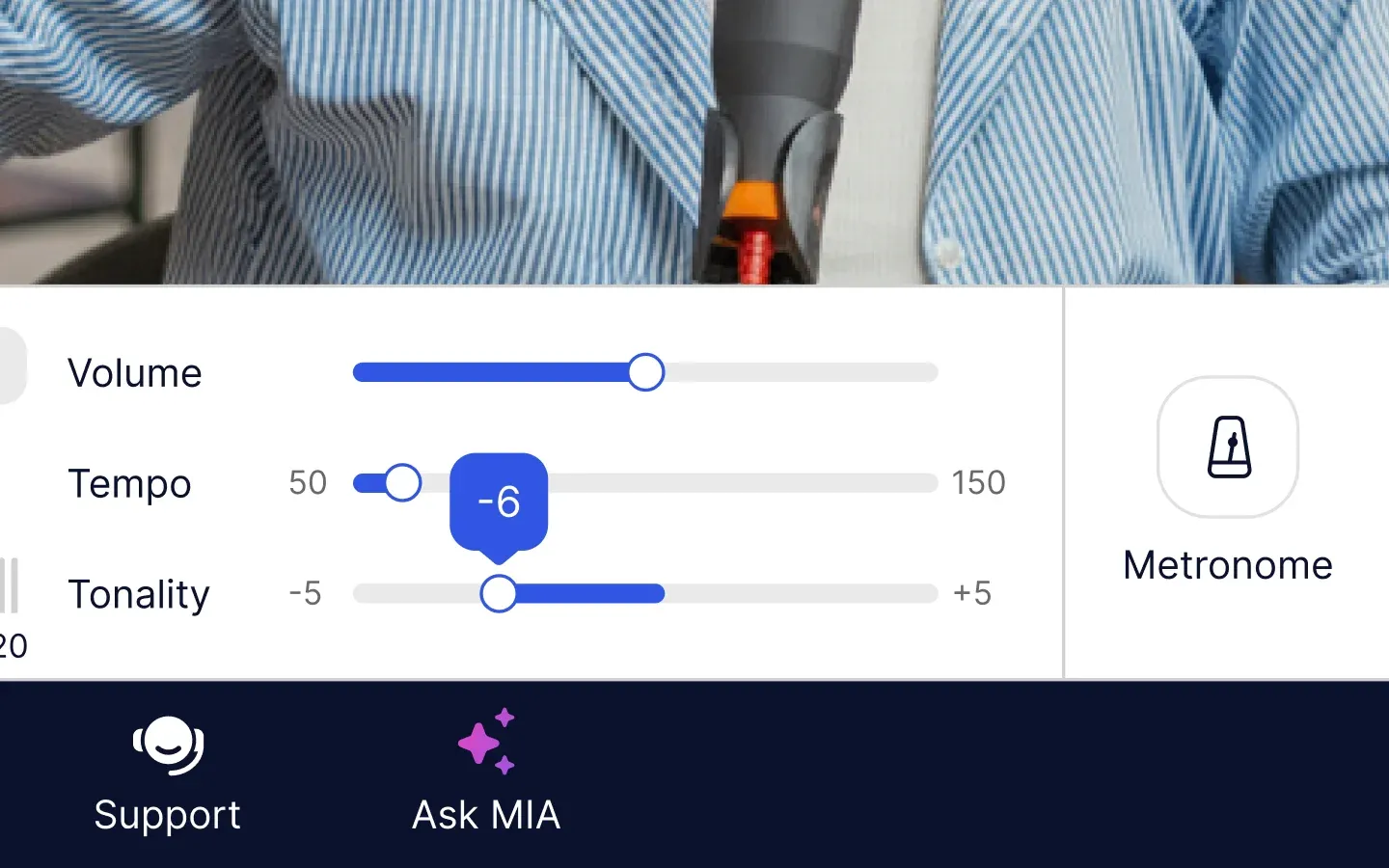
Tempo and tonality change inside MOOZ
👉 Read more about how sync audio online works: Synchronization in Online Music Lessons: A Complete Breakdown 👈
Why teachers love it:
- Teacher and student hear the audio simultaneously
- Real-time tempo and key changes during playback
- No timing drift, no restarts
Best for: rhythm accuracy, backing tracks, ear training, exam preparation.
2. Online Metronome
Structure, focus, and rhythm — even at a distance
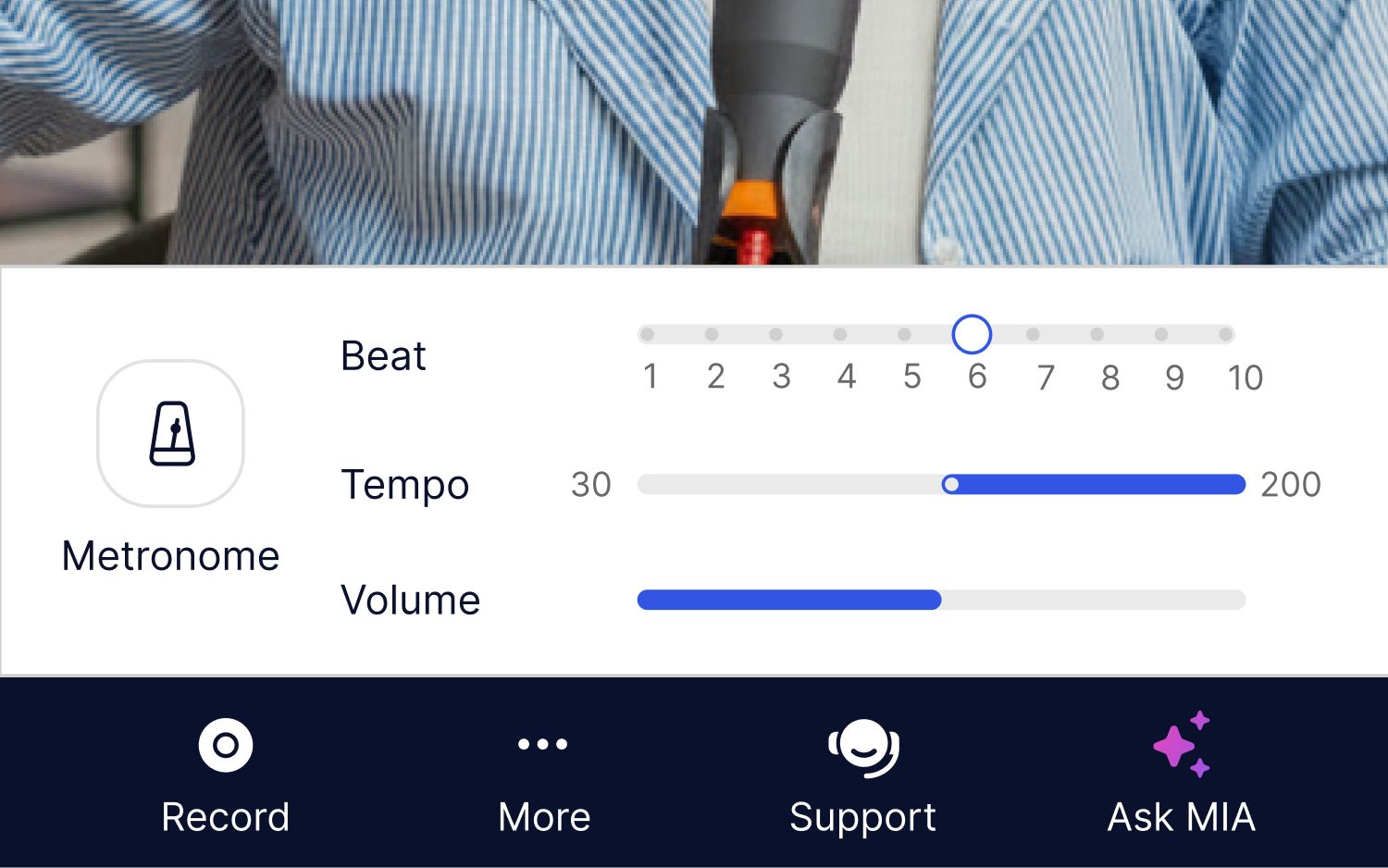
A metronome is essential in any music lesson. In online lessons, it’s even more important — and harder to manage across two locations.
MOOZ’s built-in online metronome is shared between teacher and student.
Why teachers love it:
- Both sides hear the same tempo
- Easy tempo changes mid-lesson (just drag the slider)
- Keeps lessons structured and focused
Best for: beginners, technique work, tempo control, exam preparation.
3. Virtual Piano
Explain theory visually, not verbally
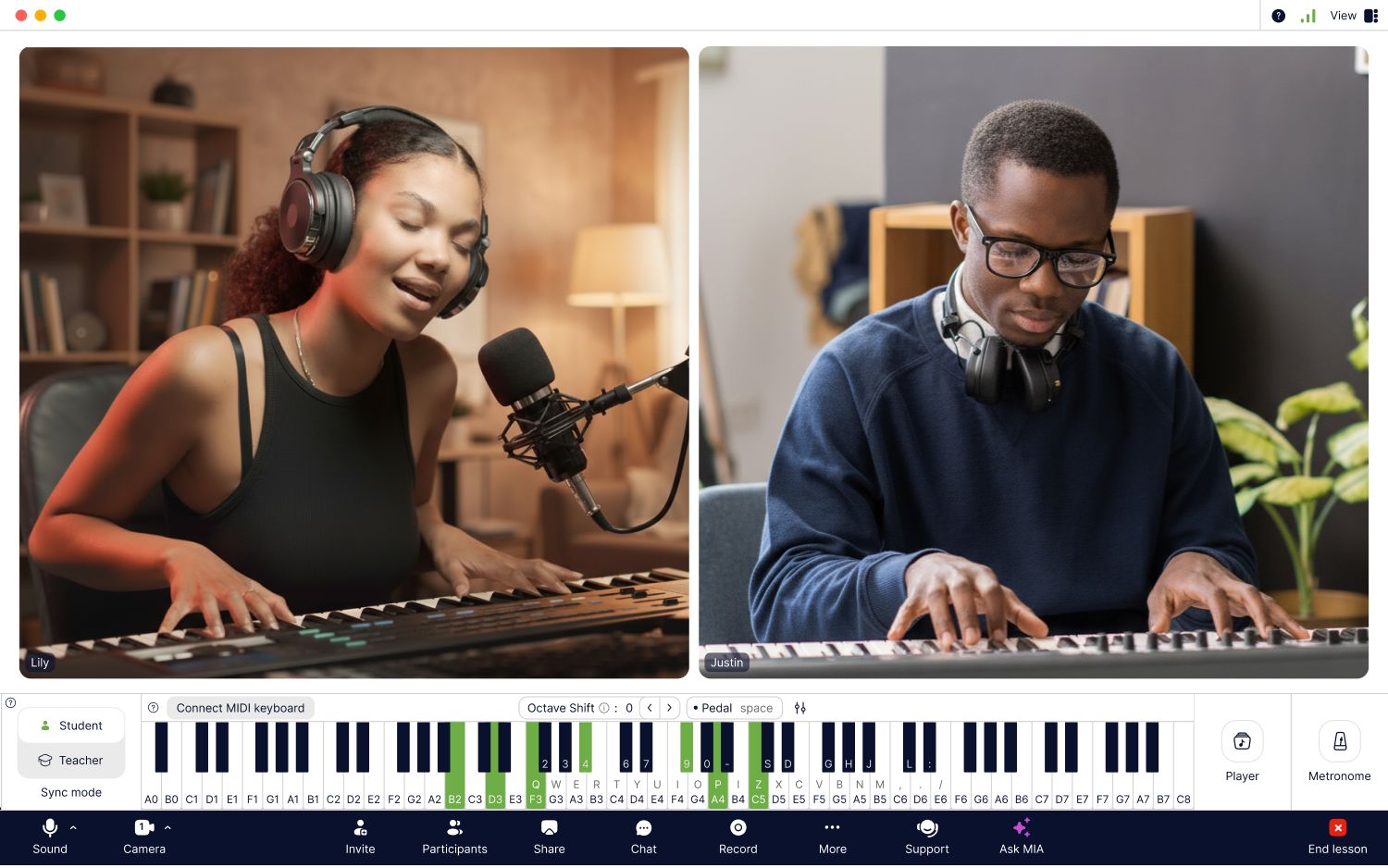
Online piano keyboard inside MOOZ
Explaining harmony, chords, or voicing with words alone is slow and confusing — especially online.
The online piano keyboard inside MOOZ lets you demonstrate musical ideas visually and hear them instantly. Both teacher and student can play the on-screen keyboard during the lesson. You can also switch the instrument sound — from grand piano to strings, electric piano, or organ — depending on the task.
Why teachers love it:
- Visual explanation of chords, intervals, and scales
- Multiple instrument sounds for different musical contexts
- Student can actively play and experiment, not just watch
- Helps visual learners understand theory faster
- Ideal for composition and arrangement lessons
Best for: music theory, songwriting, composition, harmony lessons.
4. File Sharing During Lessons
Sheet music, exercises, and notes — instantly
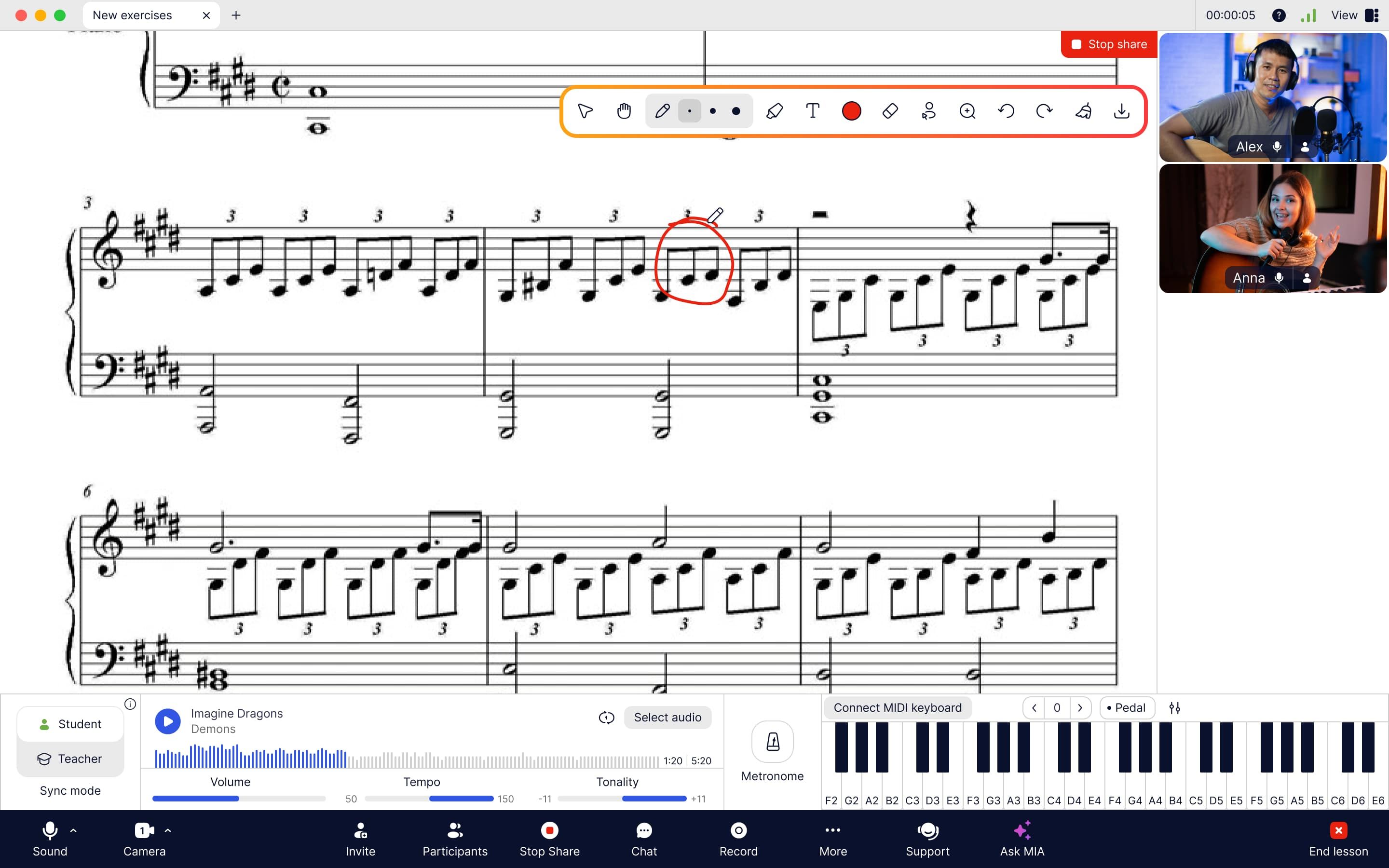
File sharing & annotation inside MOOZ
Switching between email, messengers, and screen sharing kills lesson flow.
With file sharing in MOOZ, everything stays in one place.
Why teachers love it:
- Share sheet music and exercises instantly
- Annotate and discuss without leaving the lesson
- No lost files or distractions
Best for: notation work, sight-reading, homework review, exam materials.
5. Multi-Camera Setup
Show technique from every angle
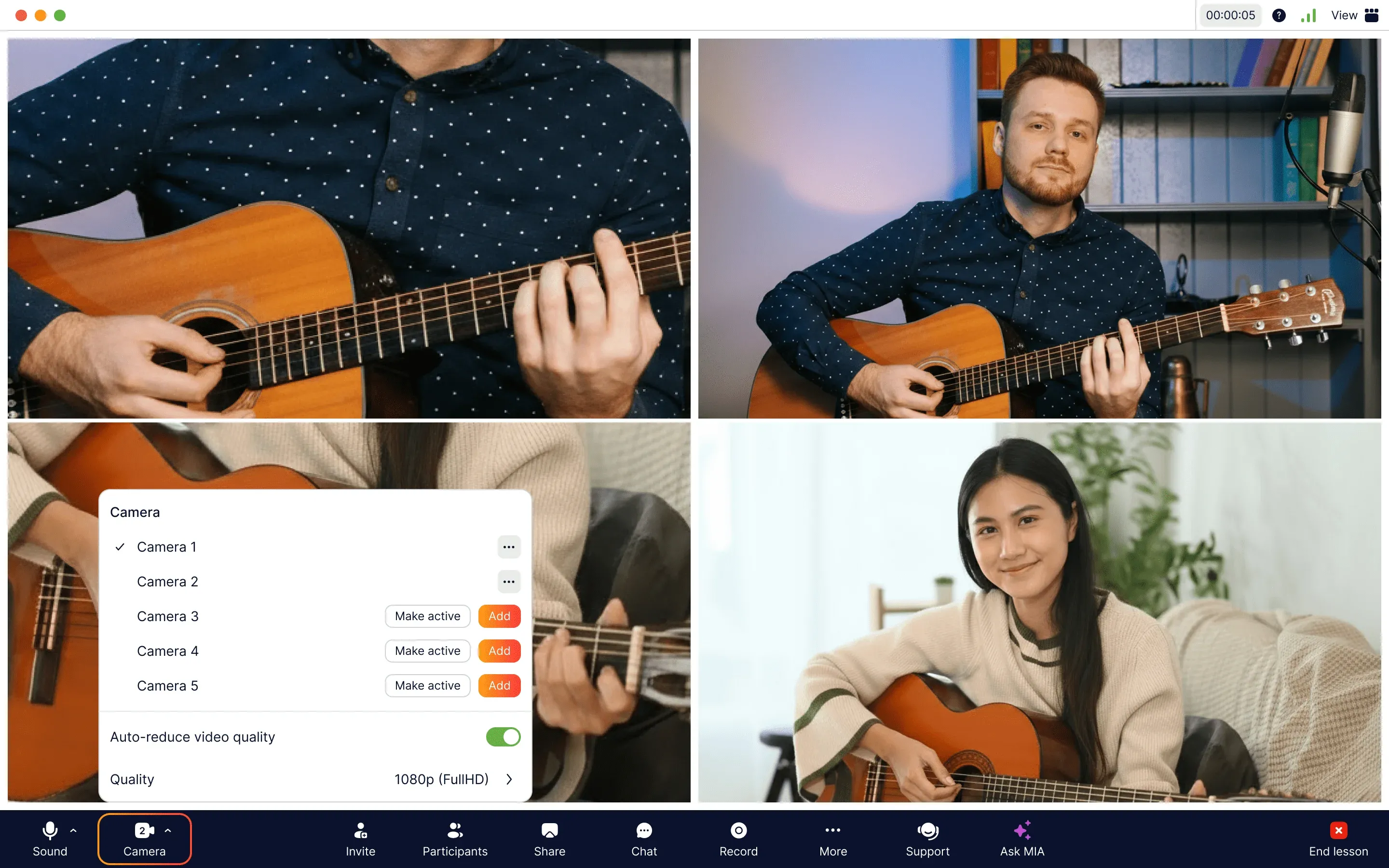
Multi-camera setup inside MOOZ
Technique matters — and one camera is often not enough.
MOOZ allows up to five cameras at the same time, so students can clearly see every important detail — and teachers can observe technique from multiple angles and correct it in real time.
You can also connect your iPhone as a second camera seamlessly — no cables, no extra software. Just open the link and add a new angle in seconds.
Why teachers love it:
- Show hands, posture, pedals, and instrument position
- Students can set up their own angles for better feedback
- Ideal for piano, guitar, strings, drums, and vocals
- Seamless phone connection as an extra camera
Best for: technique correction, posture work, advanced students.
👉 See how multi-camera changes real lessons: Before & After: How MOOZ Multi-Cam Boosts Online Guitar Classes 👈
Why These Features Matter for Online Music Lessons
Each MOOZ feature is useful on its own. Together, they create something rare in online music teaching:
- Real musical timing
- Clear sound without distortion
- Visual, interactive explanations
- Smooth lesson flow without technical stress
That’s why teachers don’t use MOOZ as “Zoom with better sound” — they use it as a real teaching app built for music.
Ready to try these features in action?
If you’re still teaching music online with tools that weren’t designed for it, it’s time to upgrade your setup.
👉 Join MOOZ and experience what online music lessons should feel like.

Related Articles
Synchronization in Online Music Lessons: A Complete Breakdown
Learn how tech fixes internet latency. Make synchronous music today!
How to Start Your First Lesson in MOOZ: A Step-by-Step Guide
Read MOOZ step-by-step guide to make your first class smooth, professional, and perfectly in tune.
Guide to Teach Music Online Smarter: MOOZ & Moosiko Insights
Learn how to solve the 5 biggest online teaching challenges that are costing you time and students.