
Lesson Lab
Online guitar lessons often fall short for one simple reason: students can’t see what matters. Guitar technique is three-dimensional — but general video call apps like Zoom and Teams, and traditional webcams flatten it into a single angle. Important details — pick angle, finger placement, wrist tension — are simply not visible from one vantage point.
That’s why we built the MOOZ Multi-cam system.
Before — The Limitations of Single-Camera Learning
With only one camera, every lesson becomes a trade-off.
Blind Spots Slow Progress
Teachers must choose between showing hands or face. As a result:
- wrist tension often goes unnoticed
- collapsed finger joints are easy to miss
- posture problems remain invisible
👎 This slows correction. Common issues can take 2–3 lessons longer to fix simply because they’re hard to see.
Incomplete Technical Visibility
A single frame can’t capture:
- the subtle roll of vibrato
- the exact pick angle
- thumb placement behind the neck
- depth and pressure of fretting
👎 Students frequently rely on interpretation instead of observation, which leads to slower technique development and persistent mistakes.
Interrupted Lesson Flow
Camera adjustments eat into teaching time. Most teachers lose 10–15 minutes per lesson repositioning the camera or asking, “Can you see this now?”
👎 This disrupts concentration and reduces the depth of material covered.
After — The MOOZ Multi-Cam Studio
MOOZ provides five fixed, purpose-designed angles that eliminate guesswork and make technique crystal clear.
Enable Multi-cam mode in 3 simple steps:
- Set up your cameras
- Open camera settings in the app
- Enable all cameras
With MOOZ you don’t need any external apps to connect cameras. Just set them up, enable them in the app — and enjoy a multi-angle view!
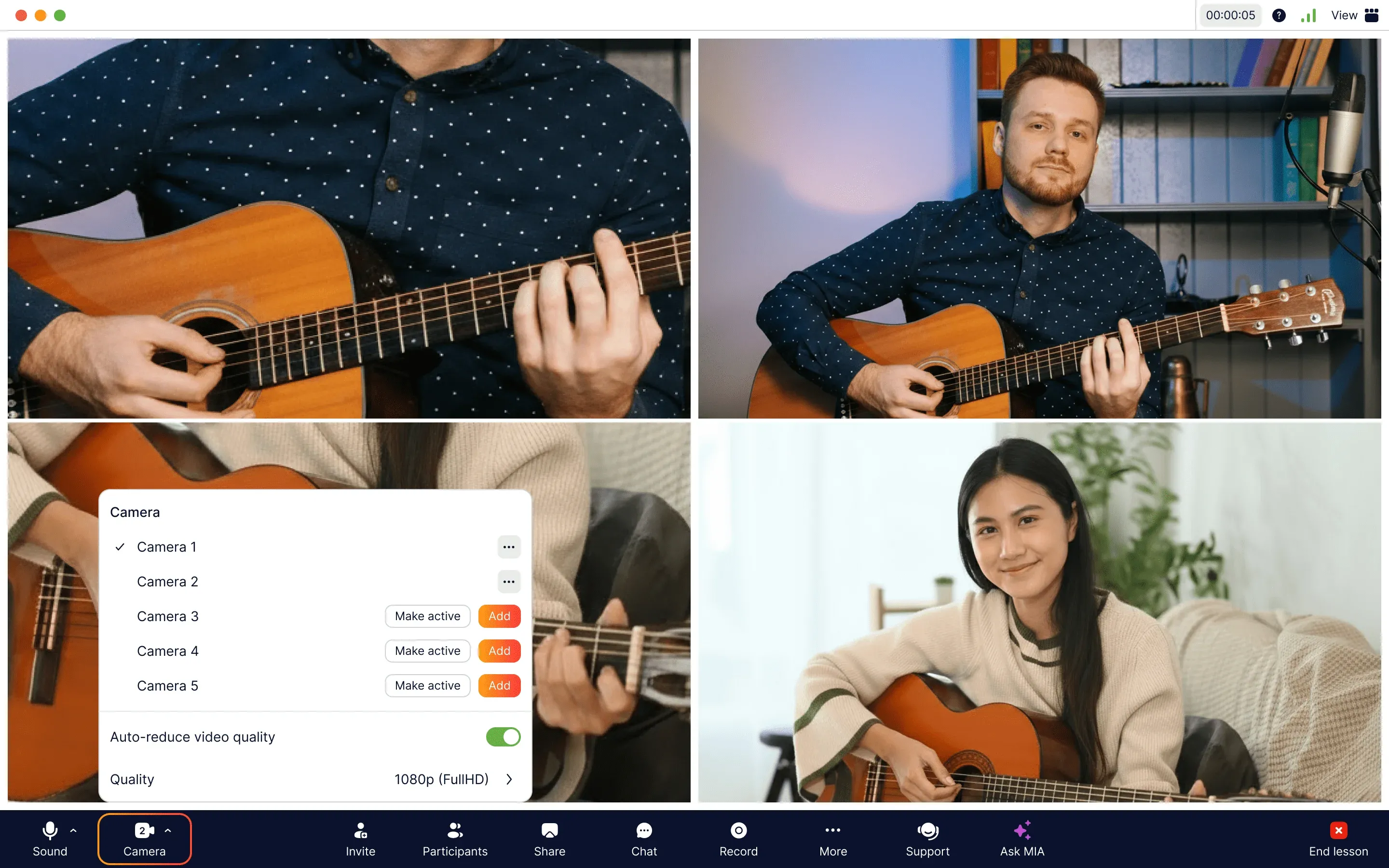
Adding extra cameras in the MOOZ app — with 5 cameras you won't miss any detail
🤳📱 You can easily add your mobile as a second camera. And here’s a sweet perk for the Apple users: just make sure you’re logged into the same Apple ID and on the same Wi-Fi — your devices will handle the rest!
Got a device from another brand? No problem! You can easily connect it using just one extra app like Camo or EpocCam.
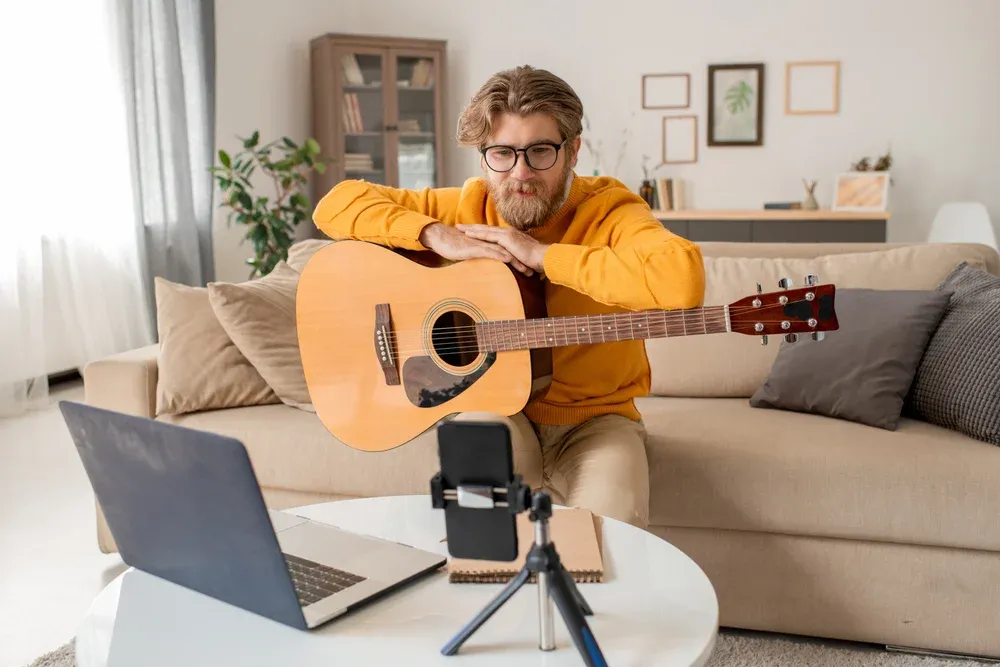
Guitar teacher using his phone as a second camera
1. Coach’s View (Face + Posture)
Your anchor shot.
Use this view for:
- posture checks at the start of each lesson
- demonstrating full-arm movement
- maintaining natural rapport and engagement
👍 Students mirror whole-body mechanics correctly from the beginning.
2. Fret Hand Close-up
Shows precise finger placement and micro-adjustments.
Use for:
- chord transitions
- barre technique
- legato clarity
- hand shape refinement
👍 Students can slow down and study details; left-hand errors correct 30–50% faster with clear visual reference.
3. Picking Hand Close-up
Reveals the “sound engine.”
Use for:
- alternate picking
- hybrid picking
- fingerstyle patterns
- dynamic control
👍 Students copy pick angle, depth, and attack accurately—crucial for tone and speed.
4. Side Sniper View
Your diagnostic teaching tool.
Use for:
- spotting fret buzz sources
- checking finger tilt
- analyzing pressure and hand curvature
- monitoring guitar thumb placement
👍 Problems that normally take minutes of guessing become instantly obvious.
5. Music Stand View
Notation in sync with technique.
Use for:
- guiding students through phrases
- highlighting trouble spots
- keeping both hands visible while referencing tabs
👍 Zero tab confusion reduces verbal explanations by 40–60%.
How to Use Multi-Camera Setup in MOOZ: Practical Tips
MOOZ’s multicamera turns lessons into structured, efficient workflows.
Learning a Tricky Lick
- Start with the Coach’s View for the full motion
- Switch to Fret Close-up to analyze finger placement
- Jump to Picking Close-up to isolate the right-hand pattern
- Use the Music Stand to align tab with technique
Students achieve a 3D understanding in a single pass, without repetition.
Fixing a Buzzy Barre Chord
- Activate Side Sniper View
- Identify finger roll or insufficient pressure
- Compare side angle with Fret Close-up
Corrections become immediate and visually grounded.
Clarifying Fingerstyle Patterns
- Picking Hand Close-up shows the independent movement of thumb and fingers
- Students can replay at slow speed
- Coach’s View ensures posture and arm movement are correct
Complex patterns become approachable and learnable.
Your Benefits with the Multi-cam: Boosted Student Motivation
Let’s sum up the benefits of the Multi-cam system in 5 main points.
Multi-cam improves:
- posture accuracy
- left/right-hand technique
- tone and articulation
- speed of correction
- student retention and motivation
Apart from better guitar techniques you get skyrocketed student motivation which leads to higher student retention. Just one right teaching tool can get you more students!
MOOZ’s Multi-Сam — Your New Music Teaching Method
MOOZ doesn’t just add more cameras — it unlocks a new method of teaching. By removing blind spots, reducing wasted time, and providing precise visibility of every technical detail, it makes remote learning exceptionally efficient. For many skills — vibrato, pick control, barre technique — this clarity surpasses even in-person lessons.
Transform your online guitar lessons with MOOZ’s Multi-Camera!

Related Articles
The First 30 Days: How to Check Your Online Music Lessons Work
Read MOOZ's step-by-step guide to checking your online music lessons after the first month.
Music Teachers and Time Management: Burnout Cancelled
Drowning in lesson plans and admin? This guide helps music teachers master their schedule.

How to engage students in music class
Start each music class with an interactive warm-up, like rhythm games or call-and-response exercises.